Search for an invoice
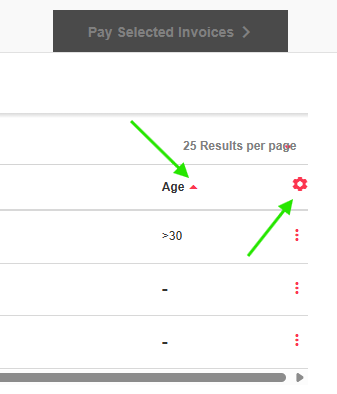
Sort the columns in the Invoices section using the column headers. Click on the Settings icon to customize these headers.
You can also use the Search function at the top of the page to find an invoice.

View the Job (submission) details associated with the invoice
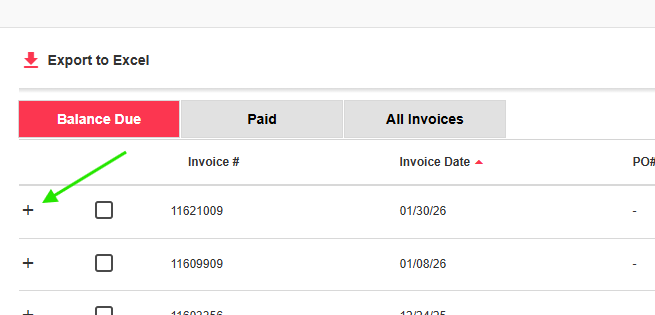
Click on the + button on the left hand side of the screen to open the submission details. Clicking on the job number (format C######) will take you to Jobs section and all of the information associated with that submission (report files, COC, project information, etc...).
Print/download invoices
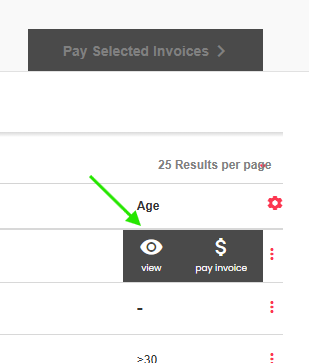
Click on the invoice of interest and hit the "View" button to open a PDF copy of the invoice. This can be printed or saved as you wish.
View Unpaid Invoices
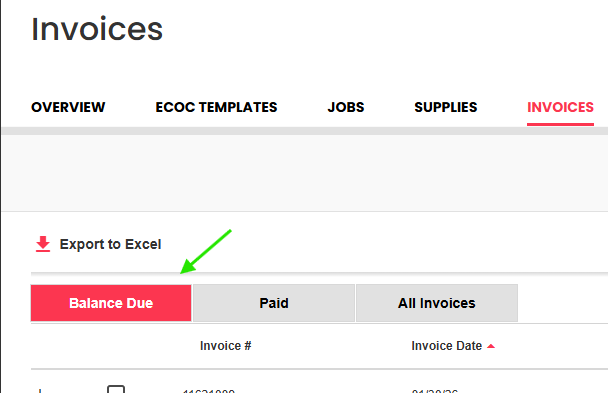
Unpaid invoices are listed in the Balance Due tab.
Make a payment
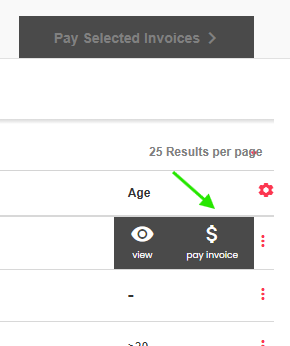
Click on the invoice of interest and hit the "Pay Invoice" button. Further detail can be found in the article "Paying Invoices Online"
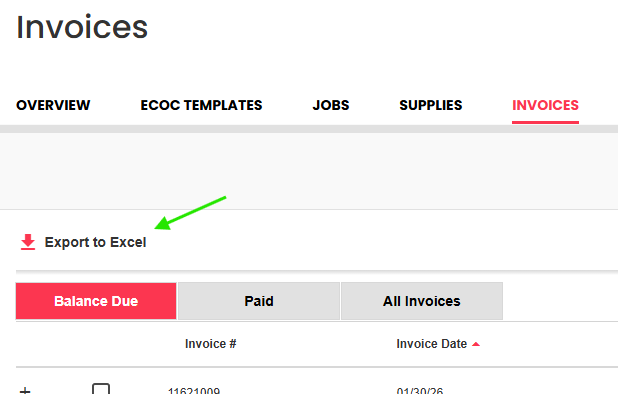
Download an Excel list of invoices
A spreadsheet of detailed invoice information can be downloaded using the "Export to Excel" button. Make sure you have the correct view (Balance Due, Paid or All invoices) open, as that is the list of invoices that will be included.